
Most shops reorder when the shelf goes empty. By then, it's already too late, and the reason is plain arithmetic: the new stock takes time to arrive, and you spend that time "selling" nothing.
Still, some shops order more than they need to, tying up cash in slow-moving stock. If they're not driven out of business by their own operational inefficiencies, they're left wondering why they barely break even, let alone become profitable.
The fix is a number called the reorder point. It's the stock level at which you place the next order, and it's easier to work out than it sounds. What's more, it is guided by data rather than guesswork, thus ensuring operational efficiency and chances of profitability.
The question it answers
Every product raises the same two questions:
When should I order more, and how much of it? Most small shops answer the first with a feeling ("we're getting low") and the second with whatever they ordered last time.
A reorder point replaces that feeling with a number and keeps stock levels consistent based on product movement. When your stock drops to that number, you reorder. No guessing, and no staring at the shelf wondering whether it's time to call the supplier.
The formula
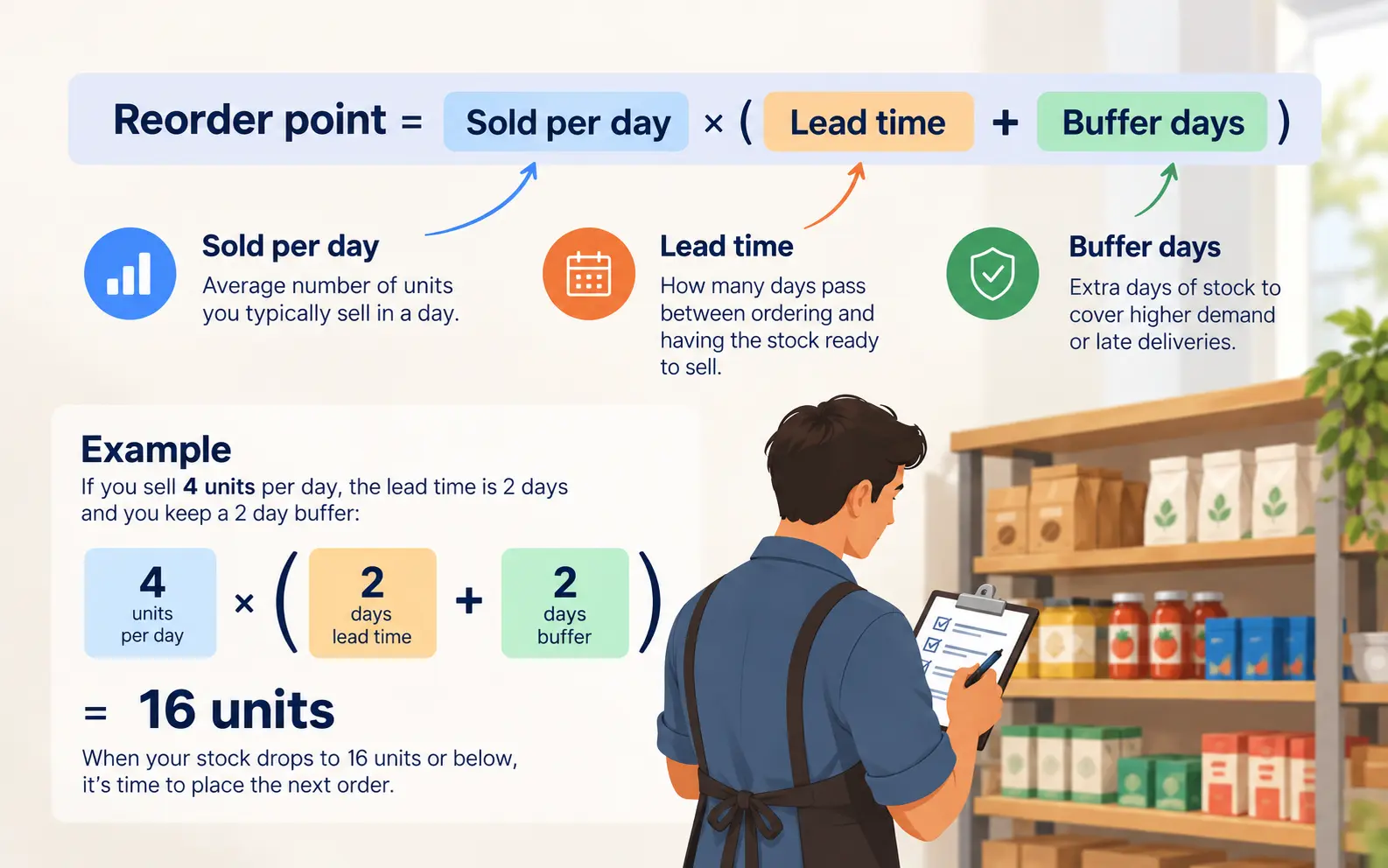
Reorder point = sold per day × (lead time + buffer days)
There are only three things to know:
- Sold per day: how many you typically sell in a day, on average.
- Lead time: how many days pass between ordering and having the stock ready to sell.
- Buffer days: a few spare days of stock, in case you sell more than usual or the next delivery is late.
Multiply the daily sales by the total days you need to cover, and you get the number of units that will carry you through the wait. If you're at that level or below, it's time to order.
Finding your three numbers
Sold per day
Add up how many you sold over the last 30 days, then divide by the number of days you were open. If you're not recording sales yet, that's your sign to start doing it (we will show you how to get started in a moment). A rough number from real counting, even for just two weeks, beats a confident guess.
Be careful with products that sell very differently on different days. If a product doubles on Saturdays, the plain average will leave you short just when it matters. For your best sellers, it's worth looking at the busy days separately.
Lead time
This is the real wait, not the one the supplier promises. Count from the moment you decide to order to the moment the stock is on your shelf. If you collect it yourself, include the trip. If your supplier doesn't deliver on Sundays, include the Sunday.
Lead time often hides a trap. Suppose you can only place orders on Mondays, because that's when the wholesaler takes them. Then a product that runs low on Tuesday can't be fixed until the following Monday, plus the delivery time. Add those waiting days to your lead time, or you'll keep running out in the middle of the week and start "selling" nothing again.
Buffer days
The buffer is what makes the system forgiving, and there are numerous reasons for it:
Deliveries run late. Customers buy more than usual. A supplier runs short and you need to look elsewhere...
A day or two of spare stock for a steady seller with a reliable supplier is a sensible start. Use more for a product that jumps around, or a supplier who is sometimes late or unreliable.
You can find a good number by looking at your busiest recent day. If you usually sell 4 a day and your worst day was 9, a buffer of a couple of days comfortably covers that gap.
A worked example
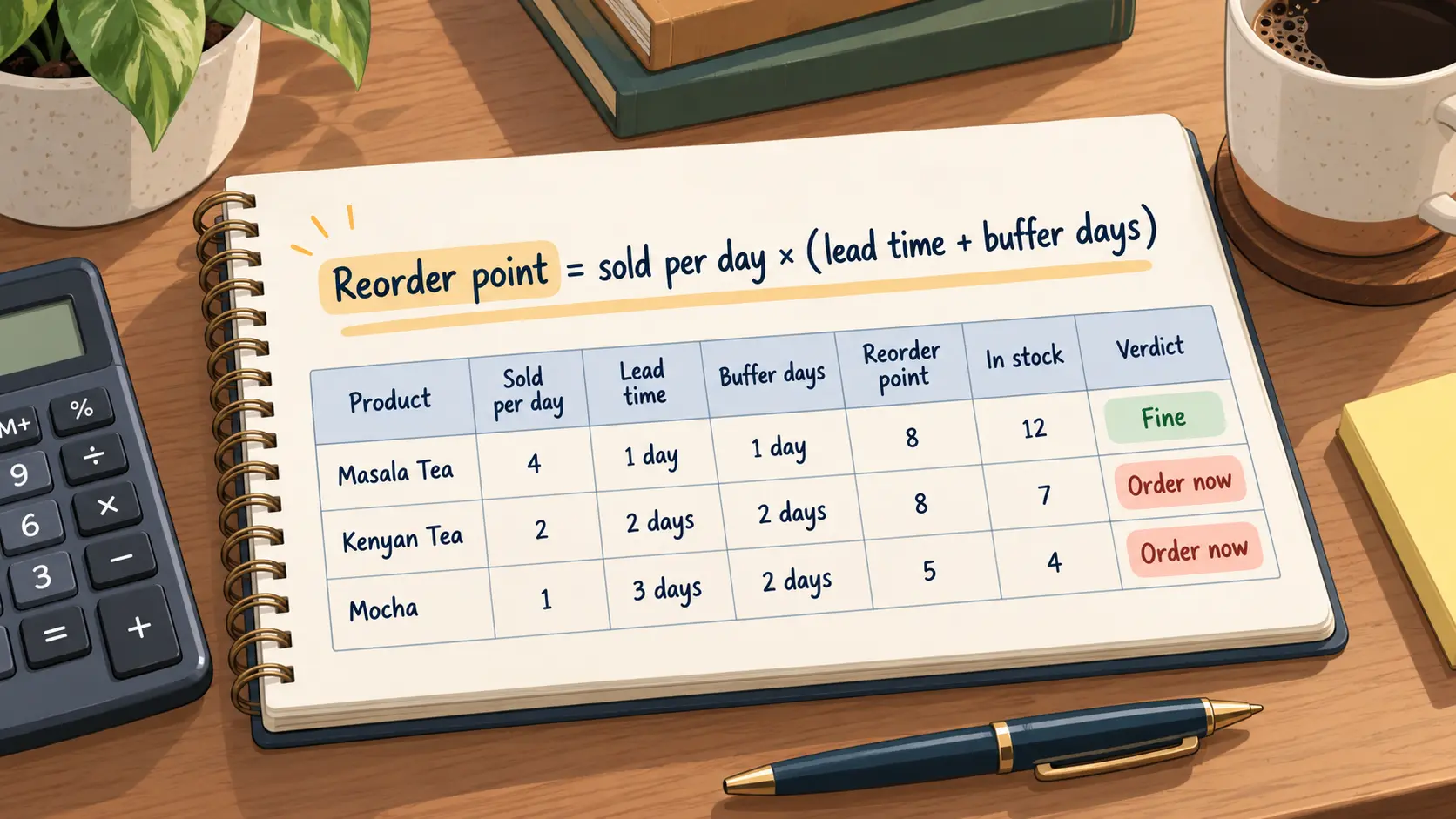
Take three products from a small tea and coffee stall:
| Product | Sold per day | Lead time | Buffer | Reorder point | In stock | Verdict |
|---|---|---|---|---|---|---|
| Masala Tea | 4 | 1 day | 1 day | 8 | 12 | Fine |
| Kenyan Tea | 2 | 2 days | 2 days | 8 | 7 | Order now |
| Mocha | 1 | 3 days | 2 days | 5 | 4 | Order now |
Each reorder point is the same sum. For Kenyan Tea, it's 2 × (2 + 2) = 8. The stall has 7, which is below 8, so it's time to order.
Mocha is the interesting one. It has 4 days of stock left at one a day, which sounds comfortable. But the order takes 3 days to arrive, and the stall wants 2 spare days, so it needs to cover 5. Four isn't enough. Without the calculation, it would probably have waited.
How much to order
The reorder point tells you when. For how much, decide how many days of stock you want each order to cover, and work out what's missing.
Order-up-to level = sold per day × (lead time + buffer + days you want to cover)
For Kenyan Tea, say the stall wants each order to cover 7 days. That's 2 × (2 + 2 + 7) = 22. It has 7, so it orders 15.
For Mocha, it's 1 × (3 + 2 + 7) = 12. It has 4, so it orders 8.
Notice that you're ordering enough to get through the wait, the buffer, and then a week of selling. Order for more days if your supplier has a minimum, or if delivery is expensive so you'd need to do it in one round. Order for fewer if the product goes off quickly.
Perishable things need a second rule
A reorder point can push you to hold more stock, and for some products that's a mistake. Milk, bread and fresh produce spoil. For those, the shelf life sets a ceiling: don't order more than you can sell before it expires, even if the sum says otherwise.
It means smaller, more frequent orders for fresh goods, and bigger, rarer ones for things that stay longer, such as dry goods. The same formula works for both. You just choose the "days to cover" differently.
A low-tech way to do it
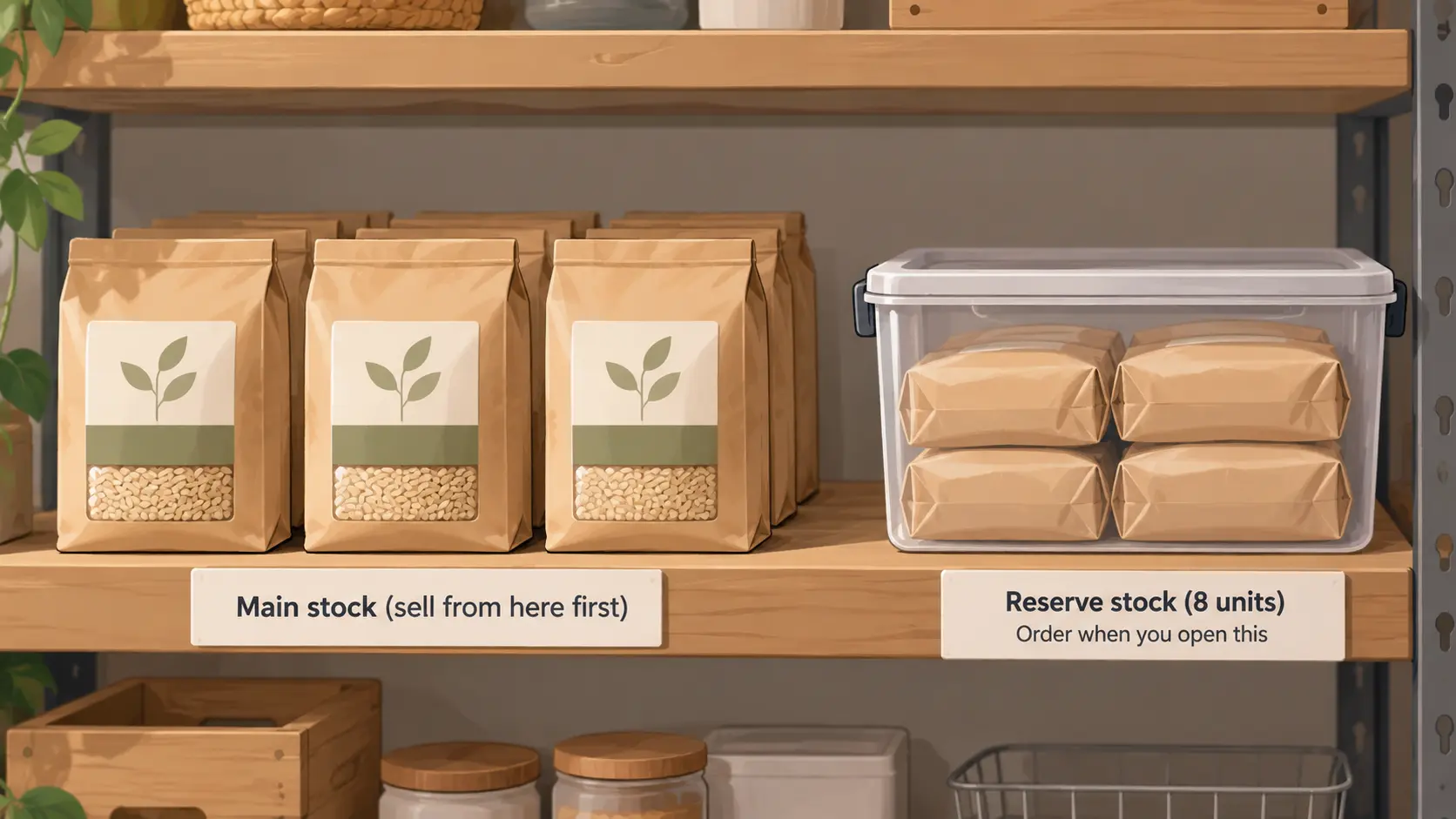
If sums aren't your thing, there's an old trick that needs no calculator. Take the reorder point, say 8 units, and set that many aside in a separate bag or box. Sell from the main stock first. The day you have to open the bag, you order.
It's crude, but it works! Because the bag is a physical reminder at exactly the right moment. You still have to work out the number once, but after that you don't need to remember anything.
When to recalculate
A reorder point is only right for the sales and the supplier you had when you worked it out. Revisit it when something changes: a product starts selling faster, a supplier gets slower, or a busy season is coming. A quick check every month or two is enough for most shops.
Too much stock has a cost too. Money sitting on the shelf can't be used for anything else, which we cover in how to work out what your stock is worth. You want to have just enough to keep selling and not much more.
Letting a calculator do it
You can work all of this out on paper. If you have a lot of products, it's quicker to use our free reorder point calculator. Enter the sold per day, lead time, buffer days and what you have in stock for each product. It shows the reorder point, how many days your stock will last, which products to order now, and how many to order. You can download the list as a CSV.
It only works if the stock numbers are right, so a regular count helps. If you haven't started one, here is how to begin.
Final thoughts
Running out of your best seller is expensive, and it's one of the easiest losses to prevent. You don't need software to do it. You need three numbers for each product, one multiplication, and the habit of checking your stock against the result.
Start with your ten best sellers. Work out their reorder points this week, write them on a card, and see how many turn out to be closer than you thought.
Key takeaways
- Reorder point = sold per day × (lead time + buffer days). When your stock drops to it, order.
- Count the real wait for lead time, including days you can't order or receive.
- Order enough to cover the lead time, the buffer and the days you want each order to last.
- Perishable goods need a ceiling: don't order more than you can sell before it spoils.
- Recalculate when sales or suppliers change.